

Games Practical Project Development Blog - Week #6

Updated: May 16, 2019
Leading up to the progress review with my tutor, I continued to research Cellular Automata, alongside planning & implementing my enemy Champion system, and began planning enemy stats and loot scaling the deeper the player progressed in the dungeon. Along with this I began to polish some elements, such as talking to NPC's and Death.

Getting right into things, I wanted to set up a Camera transition for talking with NPC's, to better frame the conversation, and direct the players focus to the conversation at hand.

To go about setting this up, I added a camera component to the Master NPC Class, that isn't anchored to any specific component, allowing for it to be moved on an case by case basis. I then added to the interact system that was already in place to talk to NPC's, setting the players movement mode to none to keep them in place while the conversation happens, then transition between the play camera and the camera component attached to the NPC being talked to.

While this is happening, masked by the start of the camera movement, the NPC and player both rotate to face each other, naturally to simulate an actual conversation between the two.

Once the dialogue has been sent to the players screen, I currently have a delay before transitioning back to game play, however this will be replaced later when I develop proper UI elements for the game, allowing for a button to move on the conversation, or to end it and go back to gameplay. After this delay, the camera does the reverse of the first transition, moving from the NPC's component to the play camera. While this happens, the players movement mode is returned to walking, allowing the player to regain control and get back to playing.

While in the mood of simple little cinematics, I decided I would set up a Death animation, with my idea being the world around the player fades to black, leaving only the player on screen to play their dazed animation. However, this "simple" cinematic ended up being far more challenging than anticipated. While the camera zoom and player control changes were simple to set up, having the fade to black, while still showing the player is something I had great trouble with, and as you can see from the GIF, still isn't quite perfected. I discussed this with a few artists I know, (thanks Jay and Harrison for the help!) I ended up getting the end result below, however it still shows particle effects on screen, and the players material needs to change blend mode, resulting in a change to the material, becoming flat, and showing through areas, almost as if it has been reversed. After discussing the issue with my tutor, I was advised to just move on, and that the issue was minor enough to not worry about for the time being.
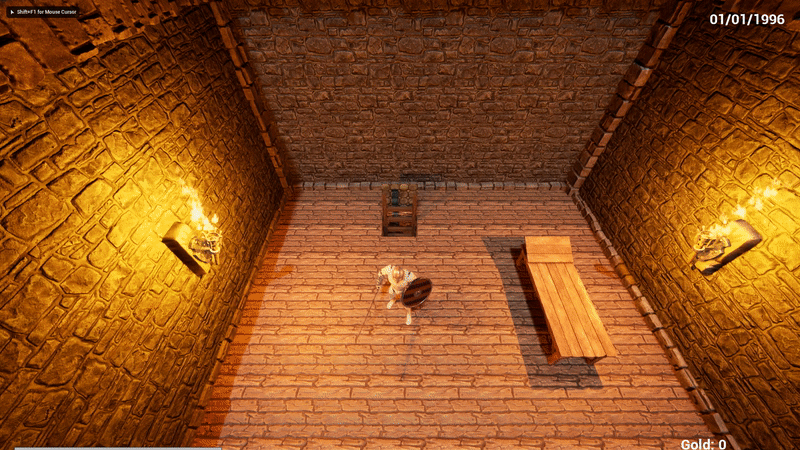
Shown below is the old way I set up the animation, purely playing the dazed animation and then moving on, as you can imagine it wasn't particularly interesting.

Here you can see the developed animation, with the camera zoom and fade to black. You can also see here that to get the effect to work, I created a second material for the character, that is only used during the fade to black, so that the player looks normal for the majority of gameplay, and then, while looking odd, stays on top of the black fade in to come into focus, and sell the idea of the player getting knocked out and losing consciousnesses. While what I have works well, I will definitely be returning to this in the future to see if there is a better solution to the problem.

Next, I set up a simple floor numbering system to increase as the player gets further into the dungeon, and resets upon returning to the hub. With this floor system, I was able to start scaling Enemy stats and the loot they drop, to create a risk/reward during gameplay, with the deeper floors being more rewarding, but having much more difficult enemies to contend with. These numbers set up allow for endless scaling of enemies and loot, although they will definitely need to be tested, and balanced as time goes on.

With this, and with it dawning on me that week six was nearly done, I started to become concerned with my chances to develop multiple different enemy types to keep the combat more engaging. Especially as the current Melee enemy still had many problems that needed ironing out. In order to get around this, I fell back on my projects core theme of procedural generation to find a solution. I started planning a "Champion" system, that allows for an enemy to spawn with one of their stats buffed beyond the average enemy stats for that floor, and to make them visually distinct, I set them up to be larger than the average enemy, and be colour hued one of 4 colours to visually represent the stat that had been buffed. The set up to decide Champion chances are ran as each enemy is spawned, and goes off of the floor number to increase the chances of an enemy becoming a champion. The deeper into the dungeon you are, the more likely it becomes for an enemy to be a champion.

After this I set up the maths to check when the player reaches a floor number that's a multiple of 5, initially planning on only having the return ladder appear on those floors, after some play testing in general, forcing the player to continue down to harder floors, or accept a knockout to return to the shop didn't go over well, so I re enabled the return ladder on every floor, remade the way I check for multiples of 5 (originally setting up a quick and messy test), and kept the information so that in the future I could set up a ui element when choosing to adventure into the dungeon, the player can choose a starting floor, in multiples of 5 down to the deepest floor they have reached.


Finally, with a little bit of time left in the week, I decided to deck out the player character with some equipment from a couple of the new asset packs I downloaded for future use in the project, being the “Free Fantasy Weapon Sample Pack" : https://www.unrealengine.com/marketplace/en-US/item/d64e30482a3046318029240b276cbd72
As well as from the "Ancient Treasures" pack:


Comments